 werkraum
Less organizing. More getting done outdoors.
The business software for landscaping and gardening: inquiries, job scheduling, time tracking, customer files and invoices in one place. On the PC in the office, on the phone outdoors.
- In the browser, no installation
- On the phone for your team
- E-invoices in XRechnung format
A product of Hyperion Edge GmbH
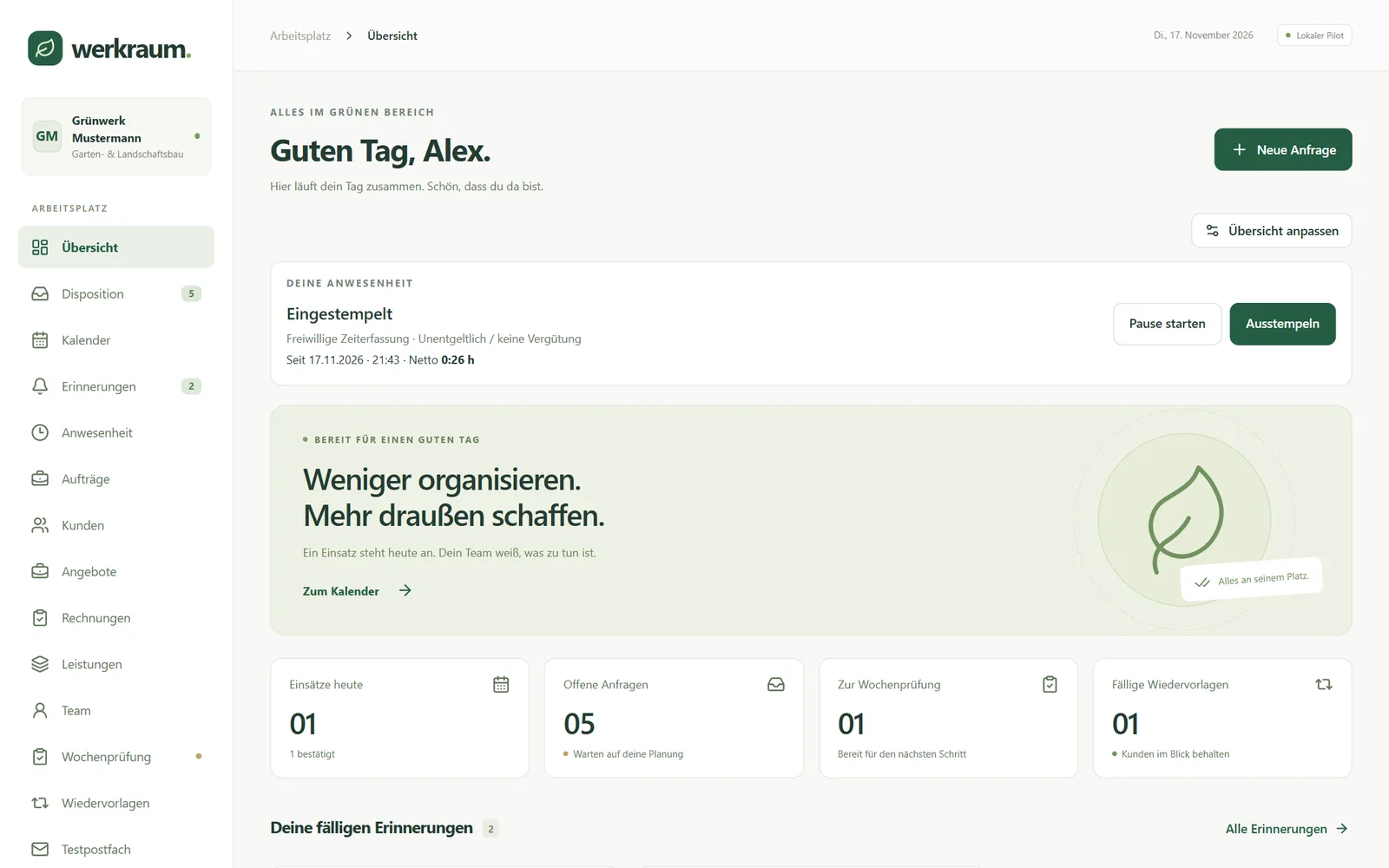
No more paperwork between office and job site
Everything lands in one inquiry list, optionally straight from your website.
Your team records time and services on the phone; the office reviews once a week.
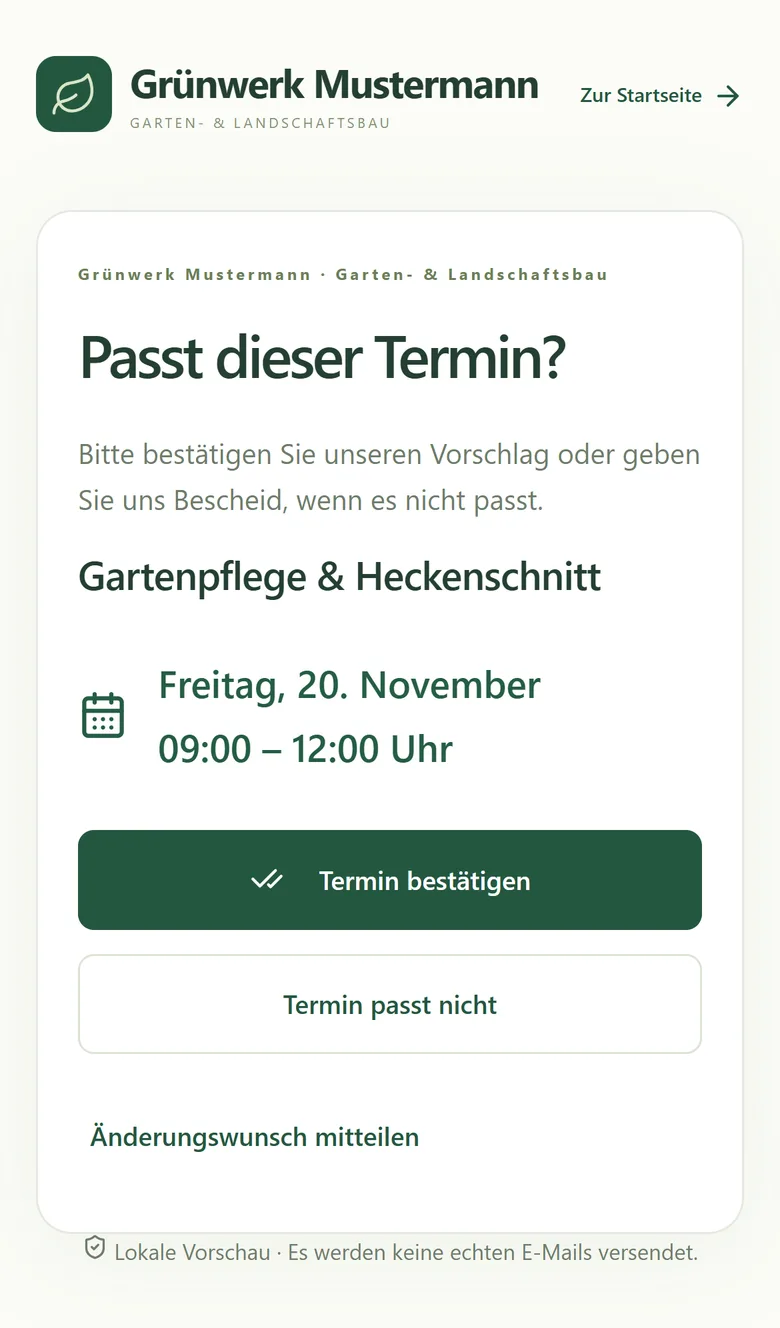
Customers confirm proposed appointments via link or name their preferred date.
Approved services become an invoice in a few clicks, also as an e-invoice.
From inquiry to invoice, without entering anything twice
Each step builds on the previous one. Click through.
All inquiries in one list
Phone, email, WhatsApp or the form on your website: every inquiry lands in dispatch, sorted by preferred date.
- Customer and job site are created automatically for website inquiries
- Privacy notice with voluntary signature included
One click to an order
The inquiry becomes an order. Services and prices come from your own service catalog, and the quote is created directly from it.
- Quote with sequential number, as PDF
- Quotes and invoices are visible on the order and in the customer file
Plan the appointment, the customer confirms
The calendar shows your team’s workload. The customer receives a proposed appointment via link and confirms it with a tap, no account needed.
- No double bookings, daily hours per employee are checked
- Change requests instead of phone tag
Outdoors on the phone
Your team sees only their own jobs: navigation to the customer, before and after photos, hours and services performed, optionally with the customer’s signature.
- Time clock with breaks
- Prices and internal data stay in the office
Review and approve once a week
The office sees all completed jobs with staff hours and billable services. After approval, the values are locked.
- Staff hours and billable hours kept separate
- Export of billing runs for accounting
Invoice at the push of a button
Approved services become the invoice, including travel. With a sequential number, as PDF or as a validated e-invoice.
- XRechnung, validated with the KoSIT validator before download
- Issued invoices remain unchanged
Everything a landscaping company needs every day
Your day at a glance
Today’s jobs, open inquiries, upcoming reviews and due follow-ups. Every user arranges their own overview.
- Show and hide sections, change their order
- Reminders for yourself or colleagues
All of a customer’s documents in one place
Quotes, invoices, service records and privacy notices are collected with the customer, newest first and filterable by type.
- Multiple job sites per customer
- Notes and tags, for example for a gate code or a dog
- Store external documents as PDF
Customer signature right on site
Optionally, the customer confirms the services performed and staff hours on the phone. The record is locked and stored in the customer file.
- Corrections only with a reason
- Print and PDF for customer and records
Working hours, including temporary helpers
Your team clocks in and out on the phone. For helpers who only come along on individual days, the office enters the hours afterwards, without a separate login.
- Net working time with breaks
- Monthly CSV export for payroll
Roles, traceability and protection against mistakes
Administrators, office and employees each see only what they need. Deleting always requires confirmation, and what must be retained stays protected.
- New accounts via invitation link
- Issued documents and records cannot be changed
- Follow-ups for annual maintenance
Ready to go in four steps
We set up Werkraum together with you instead of leaving you alone with the software.
Get to know it
Live demo with your typical orders.
Set up
Transfer services, prices, team, company data and customers.
Train
Office and team, on the PC and on the phone.
Get started
Start in day-to-day business, with support in the first weeks.
Good to know
Do I need to install anything?
No. Werkraum runs in the browser on PC, tablet and phone. On the phone, it can be added to the home screen as an app icon.
Does every employee need a login?
No. Employees with a login record their own time. For helpers who only work occasionally, the office enters the working hours.
Can we transfer our existing customers?
Yes. We transfer customers, services and prices together with you during setup.
Can Werkraum create e-invoices?
Yes, in XRechnung format. Every file is validated with the official KoSIT validator before download.
Do my employees see prices and customer data?
No. Employees see only their own jobs with the information they need on site. Prices and invoicing stay in the office.
Can we also get our own website?
Yes, on request: a website in a matching design with an inquiry form whose inquiries go straight into Werkraum.
See Werkraum with your own orders
In a live demo, we show you what Werkraum would look like in your company. No obligation and with your own examples.